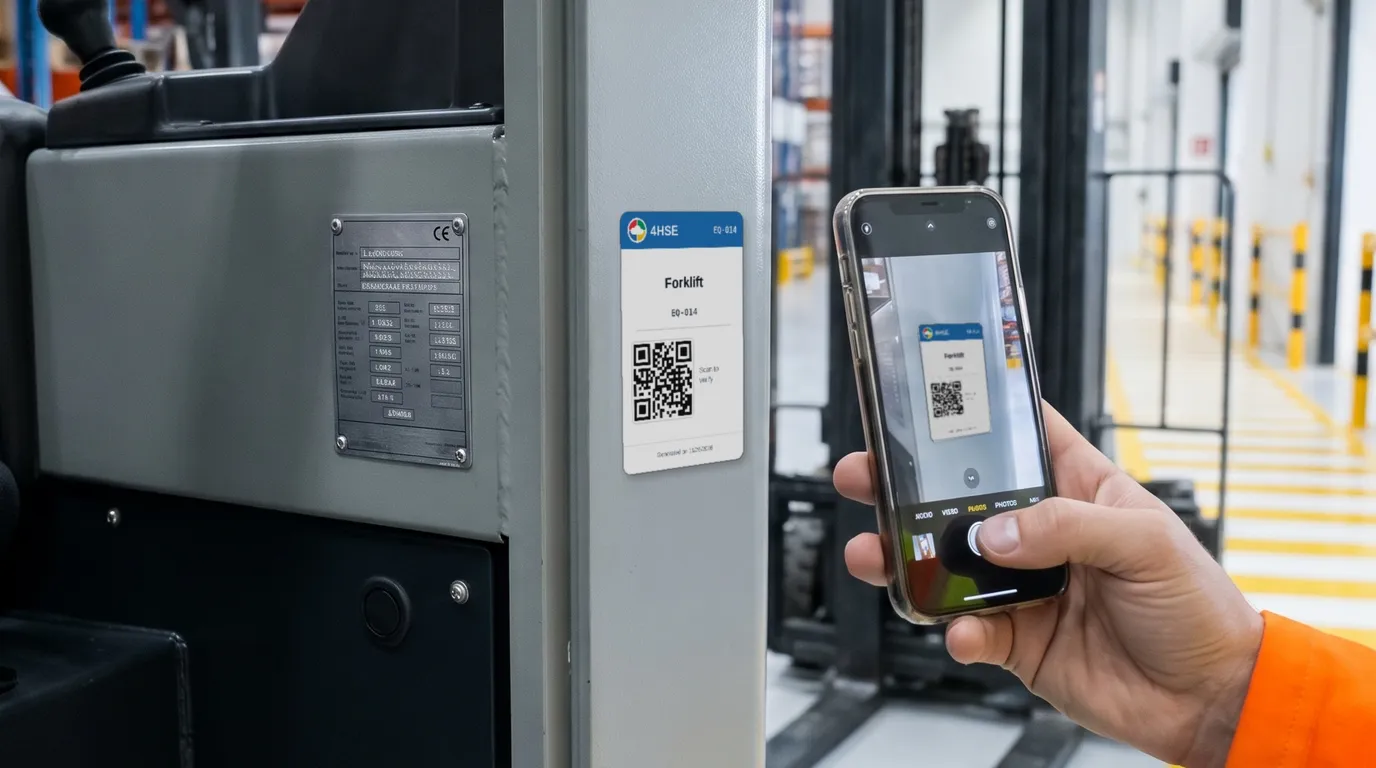
During a periodic inspection or a maintenance job, it’s essential to have information about the company resources involved close at hand. Often, though, that information is scattered across document archives and management systems: finding it means knowing where to look and having the right credentials.
With the 4HSE verification QR, the information you need is available right in the field. Just scan the code with a mobile device to open a page dedicated to the piece of equipment, the substance, or the work environment, with no need to register on the platform.
The verification page brings together the resource’s identifying details, the validity status of its maintenance and related procedures, and the available documents.
The resource status is updated with every scan
The verification page always shows the current situation of the resource: the data is retrieved every time the link is opened.
This way, whoever views the page sees information consistent with the records in 4HSE.
A badge on the resource or a link to share
The verification QR can be used in two ways, depending on your needs.
The physical badge lets you attach the code directly to the resource: a machine, a substance container, or the entrance to a work environment. The badge is generated and printed from 4HSE and can be scanned for two years from the date it was generated. It’s designed to make information available during everyday operations at the plant or on the job site.
The temporary QR code or link is useful when you need to share information without attaching a physical label. It can be generated from the Verification QR button and sent, for example, to an external maintenance technician before a job. In this case, the link stays valid for 24 hours.
Who can view the page, and for how long
External maintenance technicians, auditors, and consultants can view the verification page without a 4HSE account.
The information, however, stays visible only for as long as it’s needed. A shared link is valid for 24 hours: once the job is done, the page and its attached documents can no longer be viewed. The badge attached to the resource, on the other hand, is valid for two years, designed for everyday use on the shop floor. In both cases, the link is protected by a security code: anyone with a resource’s QR code sees only that resource and can’t reach any others.
Resource information, where you need it
The verification QR extends to material resources a capability 4HSE already offers with the worker badge and the digital Permit to Work: making operational information available in the field, on a mobile device.
For those who manage equipment, substances, and work environments, this means being able to check documents and validity status when they’re needed, even when the check is done by someone who doesn’t regularly use the management software.
To learn more about generating QR codes and printing badges, see the 4HSE documentation.